Community
From Code to Coastline: Ghostery Makes a Splash at AFDS 2025
June 24, 2025
Community
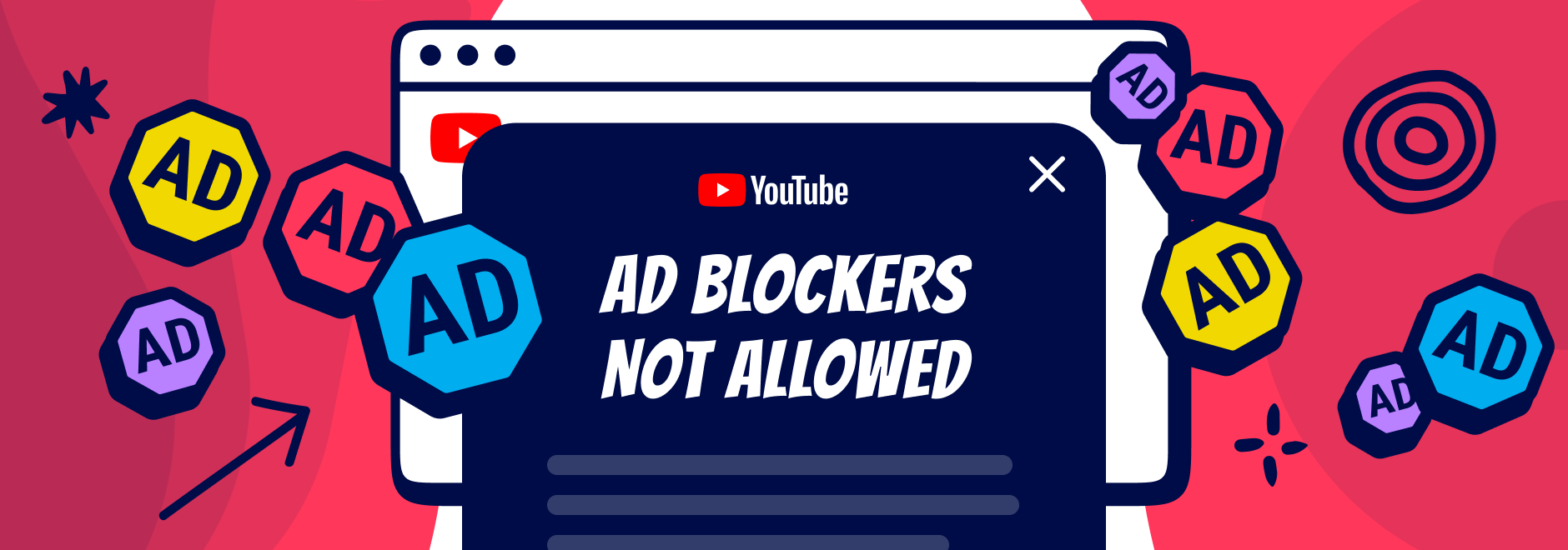
YouTube is currently escalating its fight against ad blockers. Millions of users who rely on Adblock for YouTube tools are seeing warning messages, playback interruptions, or delays when trying to watch videos. This reflects a broader trend of YouTube blocking adblockers more aggressively as part of a broader crackdown on ad blockers, as the platform tries to protect the advertising revenue that funds both YouTube itself and many content creators. Below, we explain what is happening, why it occurs, and what you should know if you encounter these YouTube anti-adblock warnings.
When users see anti-adblock warnings, YouTube often refers to its Terms of Service. The platform argues that advertising revenue supports both the infrastructure that runs YouTube and the creators who publish videos.
Because ad blockers prevent ads from being displayed, YouTube claims they interfere with how the service is intended to function. In practice, enforcement usually comes in the form of warning messages or playback restrictions rather than legal consequences for individual users.
The site is experimenting with its ad blocking policy. YouTube changes their detection scripts anywhere from twice to multiple times per day.
The code behind YouTube viewing permissions changes often, posing a challenge for all ad blockers, including Ghostery. We are collaborating with developers from other ad blockers to address this issue.
YouTube uses several detection mechanisms to identify when advertising scripts or resources fail to load. This system, often referred to as YouTube's anti-adblock detection, analyzes how pages load and checks whether ad requests are blocked or altered by browser extensions.
If the expected advertising resources do not load correctly, the platform may trigger warning messages or limit video playback. Because YouTube frequently updates these detection scripts, ad blocker developers must continuously adapt their filtering techniques.
Another factor affecting ad blocking is the transition from Manifest V2 to Manifest V3, the extension framework used by Chromium-based browsers such as Chrome and Edge.
Manifest V2 allowed extensions to intercept network requests directly, which made it easier for ad blockers to filter advertising scripts before they loaded. Manifest V3 limits some of these capabilities, which can affect how effectively extensions block certain ad resources.
These technical changes can influence how easily YouTube detects blocked advertising requests.
From what we know, the pop-up appears when:
You may have tried many options to watch YouTube without ads for free.
However, to prevent adblock detection from becoming worse:
YouTube's anti-adblock affects all browsers and adblockers. This message appears regardless of your browser or adblock extension. Switching browsers or adblockers will not bypass it.
Although YouTube’s anti-adblock system appears across all browsers, its behavior may vary depending on the browser environment and extension framework.
Chromium-based browsers such as Chrome, Edge, and Opera follow Google’s Manifest V3 extension model, which limits how extensions can intercept network requests. Browsers like Firefox and Safari use different extension architectures, which can sometimes influence how ad blockers interact with advertising scripts.
These technical differences may affect how often users encounter YouTube anti-adblock warnings or how quickly ad blockers can adapt to detection changes.
To counter YouTube's anti-adblock notices:
Ghostery recognizes the value our users place on ad-free access to YouTube. We are actively working to find a solution to bypass Youtube adblock detection.
As Google makes changes, our team will update this post with new information.
If you have any questions for our team, reach out to us. We’re always happy to help.
Youtube frequently updates its scripts, which can trigger a YouTube adblock warning even when using an Adblock for YouTube extension. Because these detection methods evolve rapidly, workarounds may only function temporarily. Using a free ad blocker, limiting additional extensions, and adjusting browser settings may help reduce interruptions, but no method can ensure uninterrupted playback at all times.
YouTube is not permanently blocking all ad blockers, but it is actively testing stricter enforcement mechanisms. Some users encounter repeated playback interruptions or a YouTube adblock warning depending on account status, region, or activity. While an Adblock for YouTube tool may still work in certain situations, detection systems are continuously refined. This means reliability can vary, and combining multiple extensions can increase the chance of warnings, even with a free ad blocker enabled.
Browsing in Incognito or Private mode may sometimes reduce detection triggers, particularly when logged out of your account. However, it does not guarantee consistent results. Users researching how to block ads on Youtube app should understand that mobile app environments operate differently from browser-based playback. Solutions that work in desktop browsers may not apply inside the YouTube app, and guidance on how to block ads on Youtube app often depends on device restrictions and platform policies.
YouTube does not officially confirm targeting specific browsers, but the platform’s anti-adblock systems can behave differently depending on browser architecture. Chrome, Firefox, Safari, and Edge all use different extension frameworks and security models. Because Google develops both Chrome and YouTube, certain changes to advertising delivery or detection may appear in Chrome first. In practice, variations in ad blocking performance are usually caused by differences in how each browser allows extensions to intercept network requests and filter advertising resources.
When YouTube says that ad blockers violate its Terms of Service, it is referring to the platform’s usage policies rather than criminal law. YouTube’s advertising system generates revenue that supports the platform and compensates creators. Because ad blockers prevent those advertisements from appearing, the company argues that they interfere with how the service is designed to operate. Enforcement usually takes the form of warning messages, playback interruptions, or restricted video access rather than legal action against individual users.
Server-side ad insertion is a technique where advertisements are embedded directly into the video stream instead of loading as separate ad elements. Because the ad content is delivered as part of the same media stream as the video, traditional ad blockers may have fewer signals to detect and remove those ads. This approach can make certain advertising formats harder to filter. However, ad blocker developers often adapt by identifying playback patterns or filtering the scripts that control when those ads appear.
If there is anything you miss in Ghostery or have any questions, please drop a line to support@ghostery.com. We’re happy to talk to you anytime.